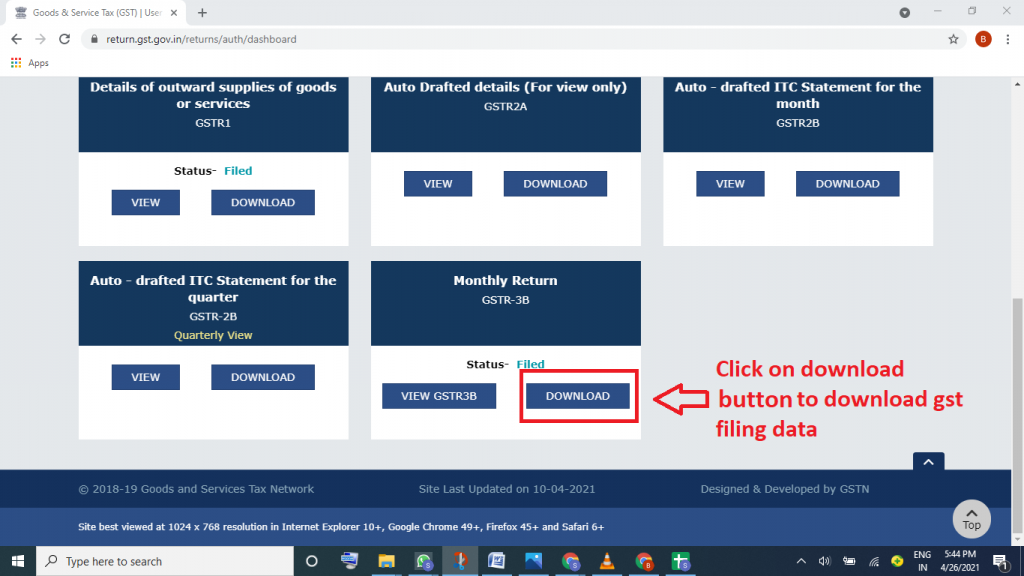
You can download GST filing data by logging in to the GST Portal. After logging in with your username and password, go to Services → Returns → View Filed Returns, then select the relevant financial year and return period (month or quarter). Once selected, choose the required return type such as GSTR-1, GSTR-3B, GSTR-2A/2B, or annual returns like GSTR-9. The portal will show the filed status along with options to download the return data in PDF (summary) or Excel/JSON (detailed data). For large returns, the data may be generated in multiple files, which need to be downloaded separately. Without logging in, only basic filing status can be viewed using the public GSTIN search, but detailed return data cannot be downloaded.
How to Download gst filing data ?
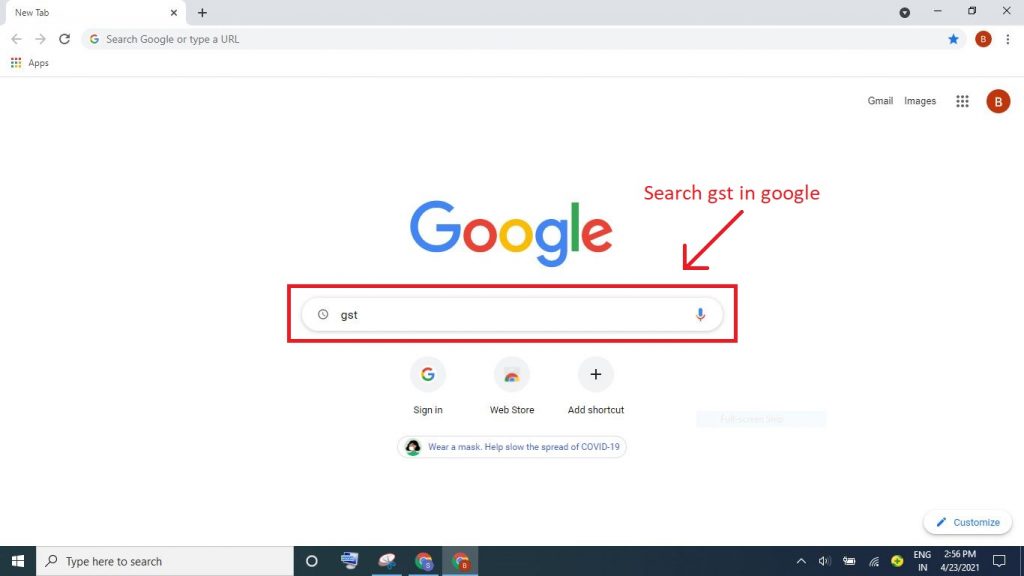
Step 1 : Search GST on Google
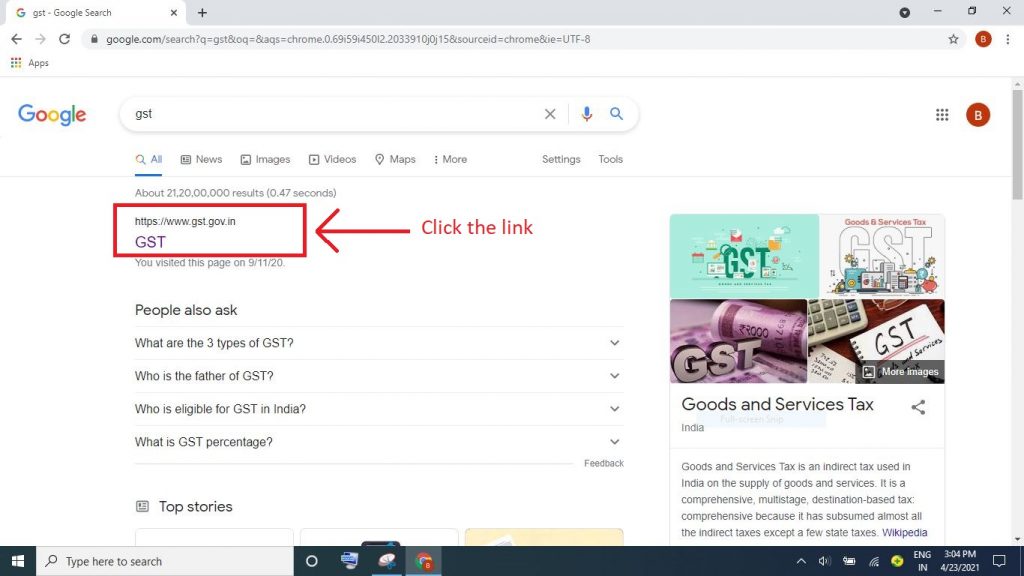
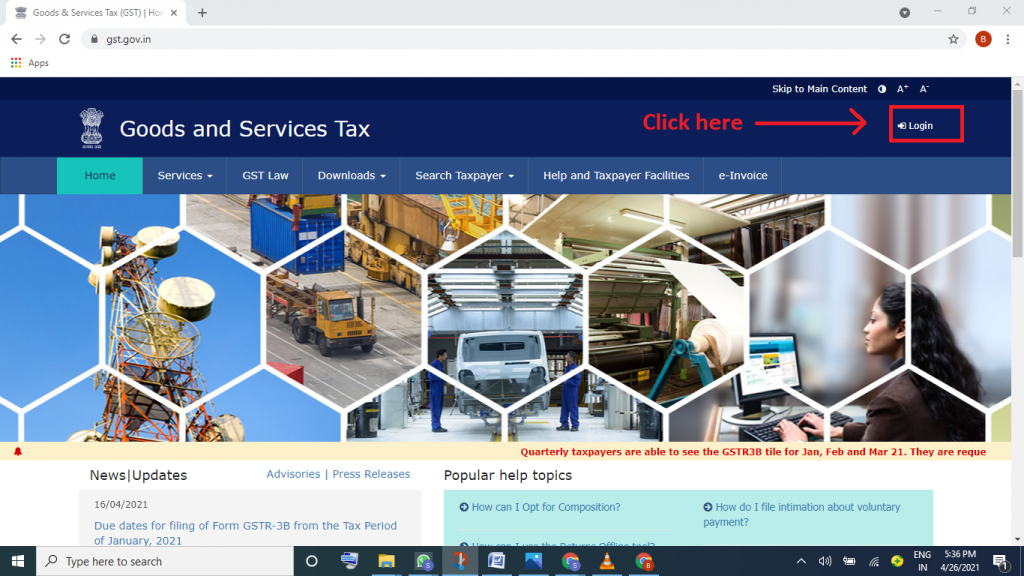
Step 2 : Click the link www.gst.gov.in
Step 3 : Then Click on login button
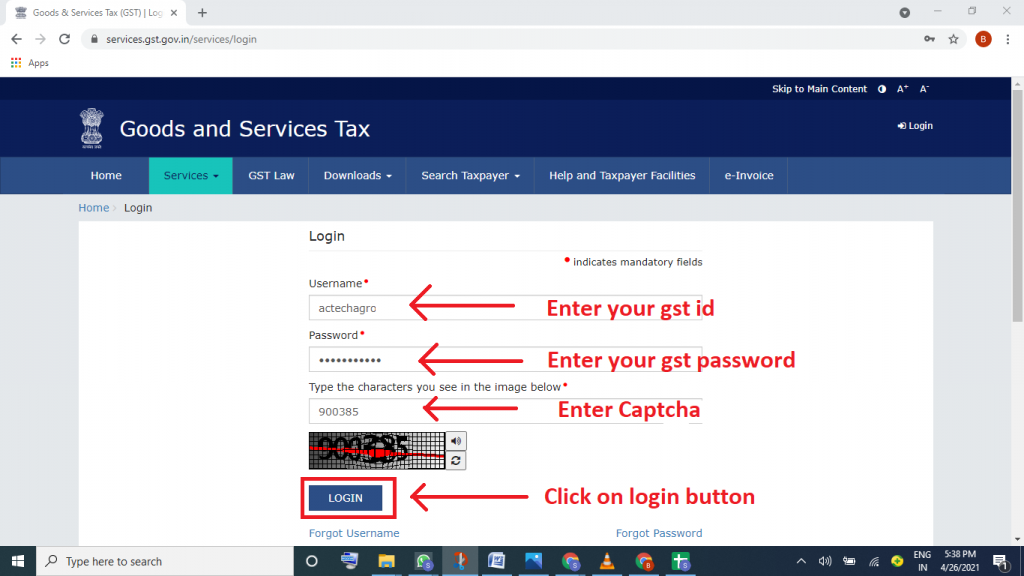
Step 4 : Enter your gst id , password & Captcha then click on login button
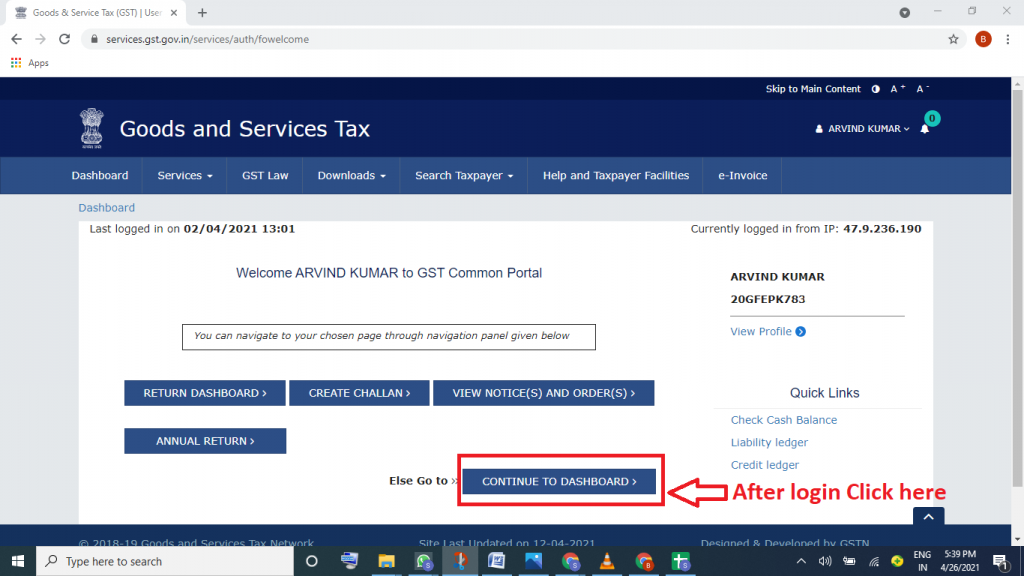
Step 5 : Click on continue to dashboard
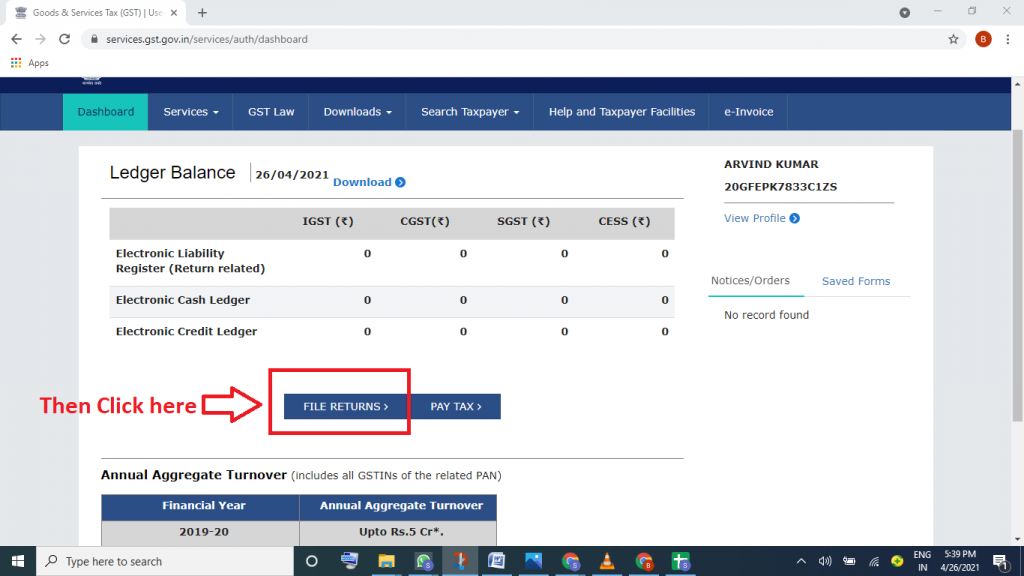
Step 6 : Then click on file returns
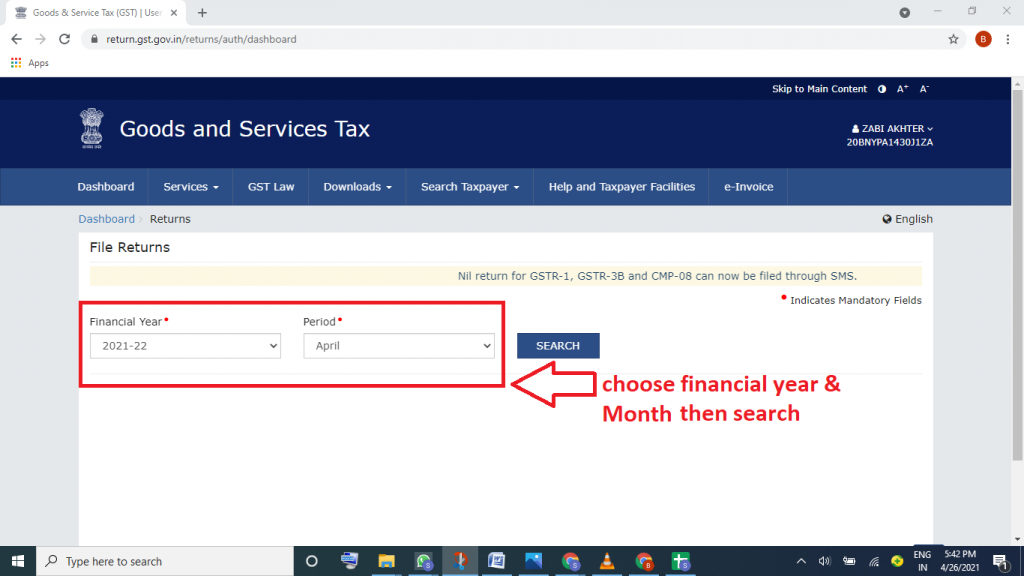
Step 7 :Choose financial year and month then search
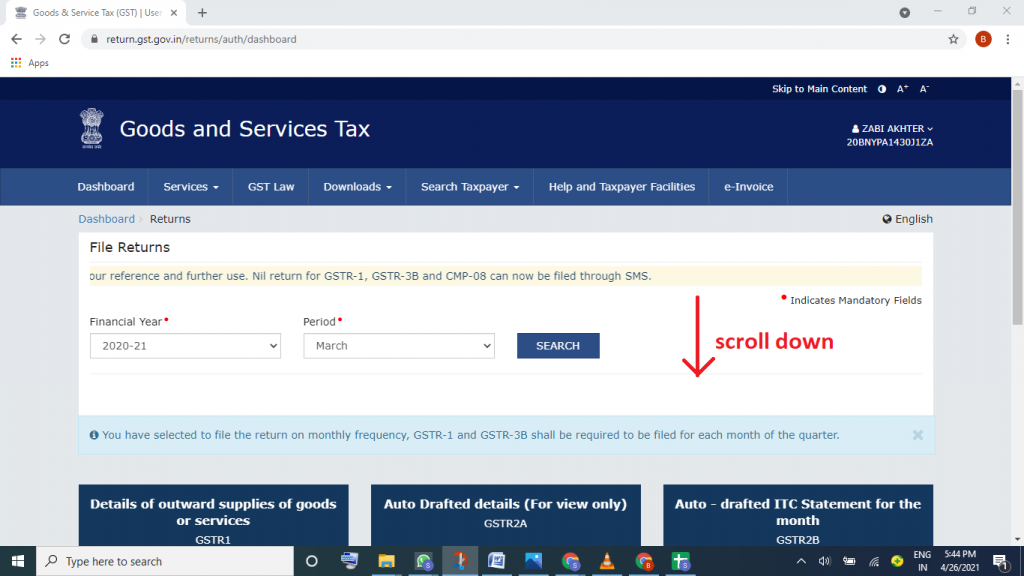
Step 8 :Then scroll down
Step 9 :Then click on download button to download gst filing data