If you are planning to start a food business in India, obtaining a Food License (FSSAI License) is one of the first legal requirements. Whether you run a restaurant, café, cloud kitchen, bakery, sweet shop, grocery store, food manufacturing unit, catering service, or home-based food business, an FSSAI license helps ensure that your business complies with food safety regulations.
The Food Safety and Standards Authority of India (FSSAI) issues food licenses to businesses involved in manufacturing, processing, storing, distributing, transporting, or selling food products. Having a valid food license not only builds customer trust but also helps you avoid legal penalties and operate your business smoothly.
How to apply food license
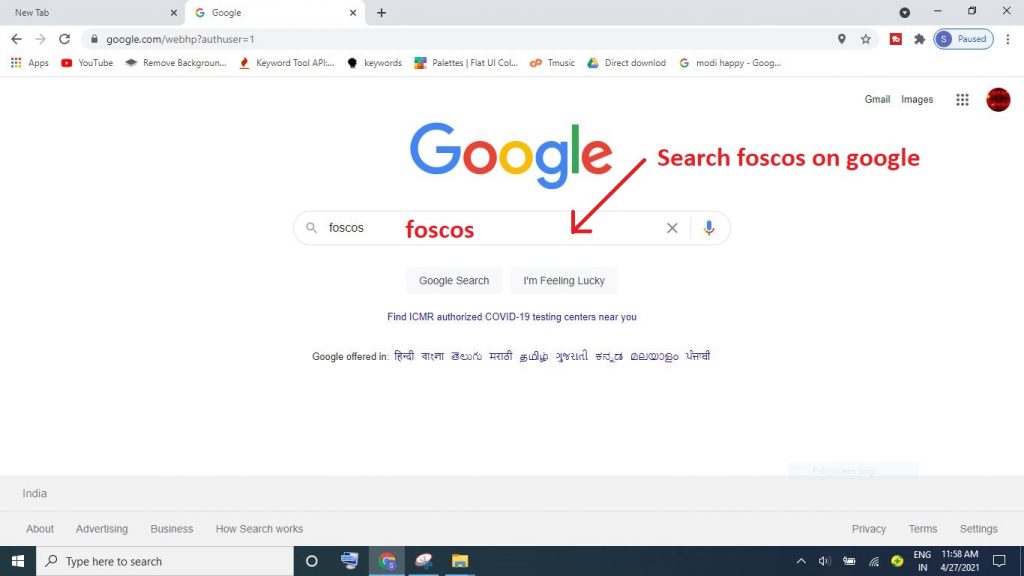
Step 1 : Search foscos on google
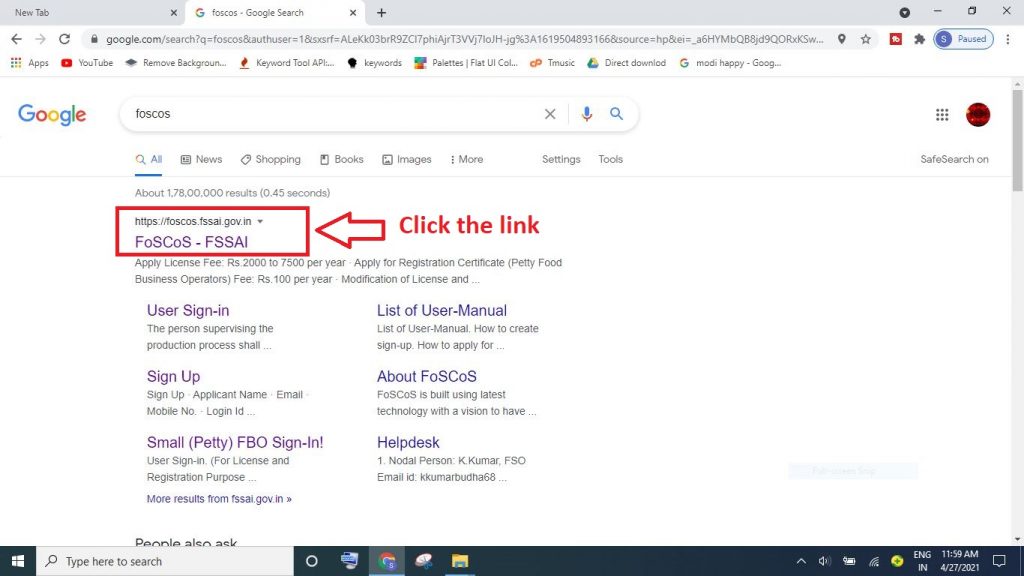
Step 2 : Click on the first link
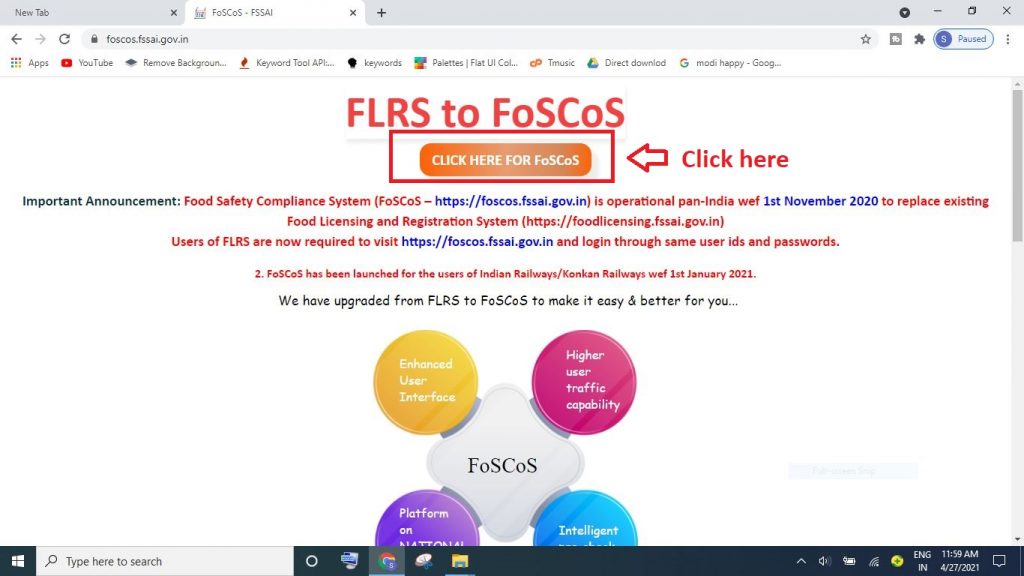
Step 3 : Click on Click here for foscos
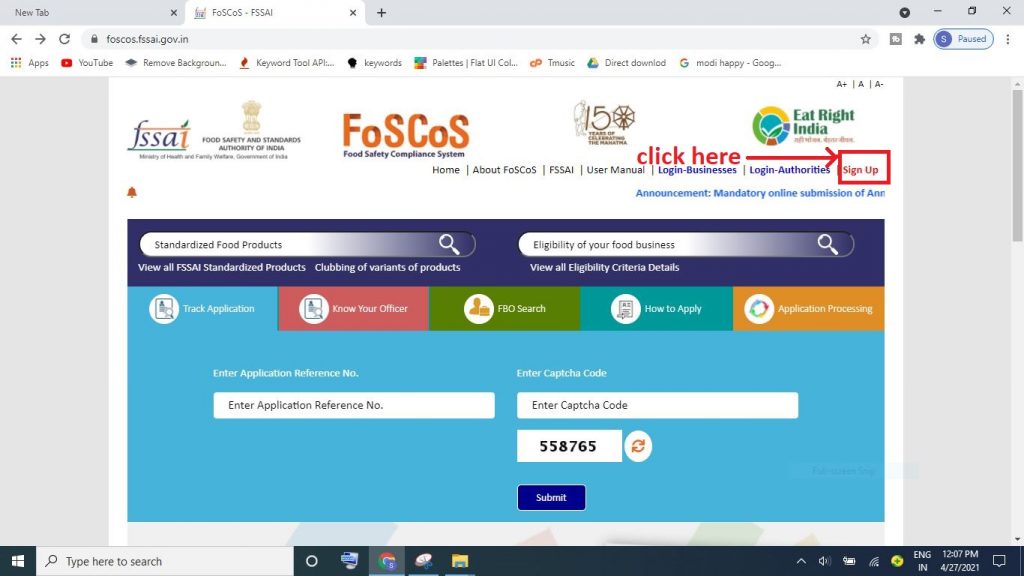
Step 4 : Click on sign up button
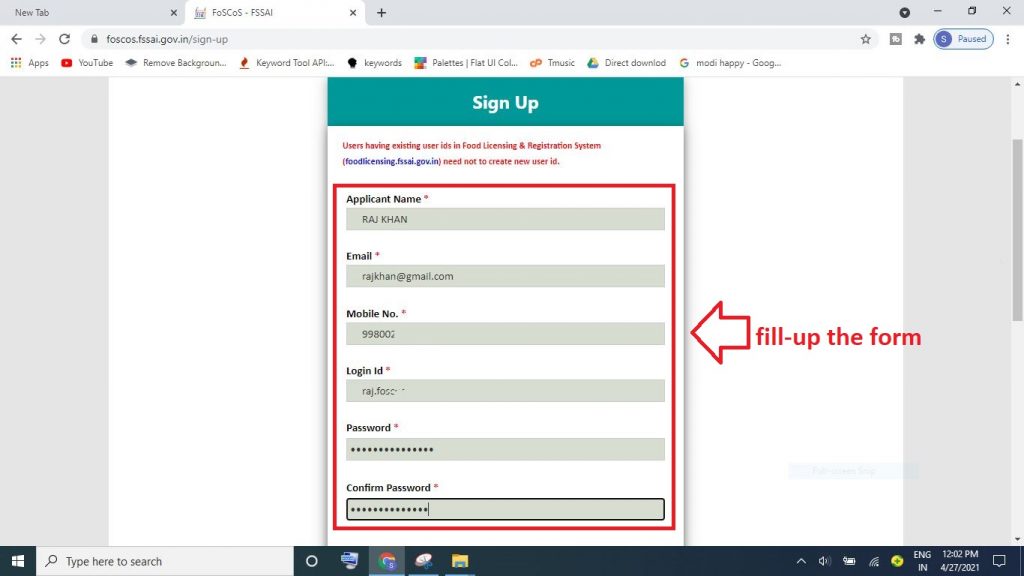
Step 5 : fill up the form
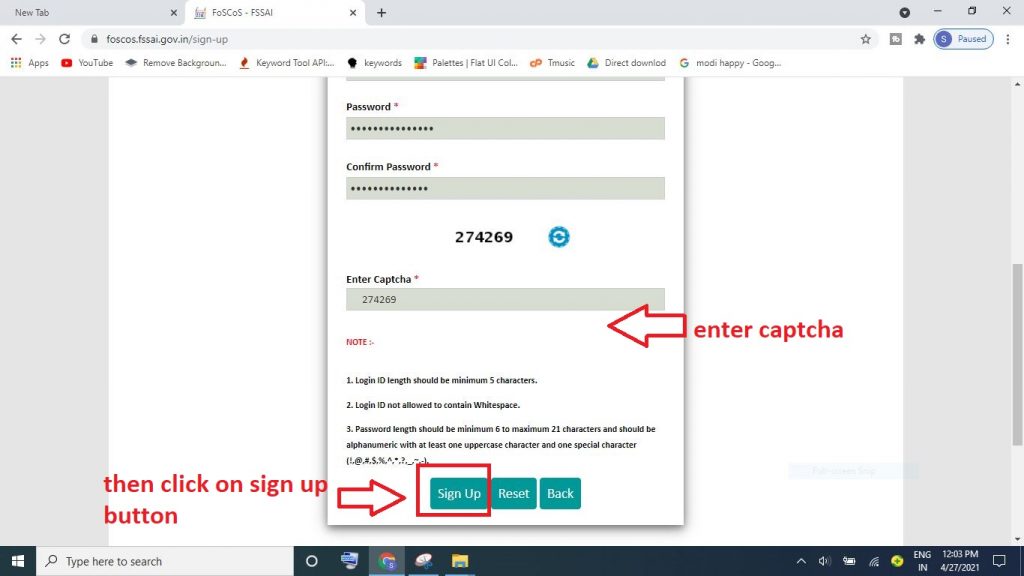
Step 6 : create username , password & enter captcha then click on sign up button
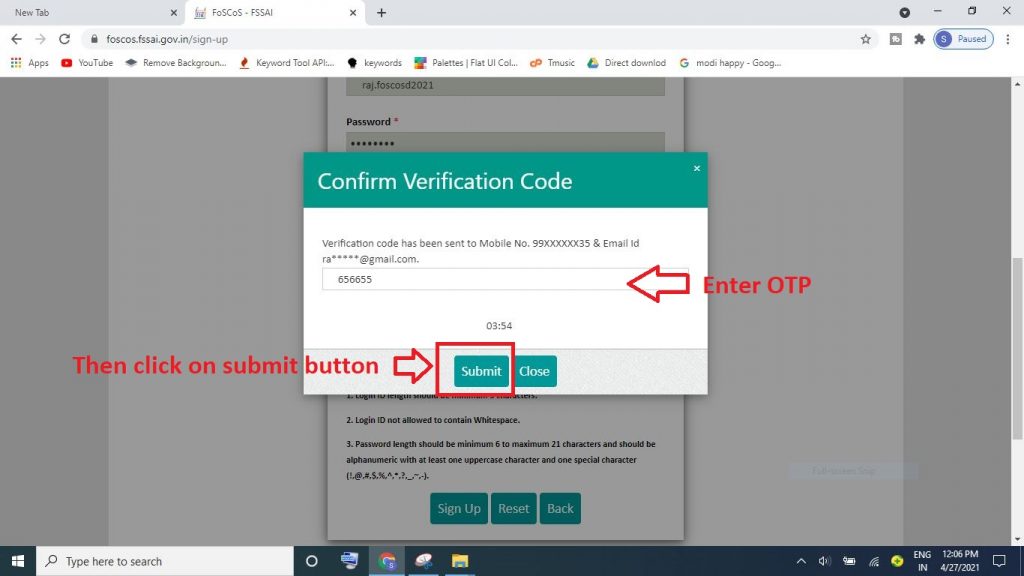
Step 7: Enter OTP & then submit
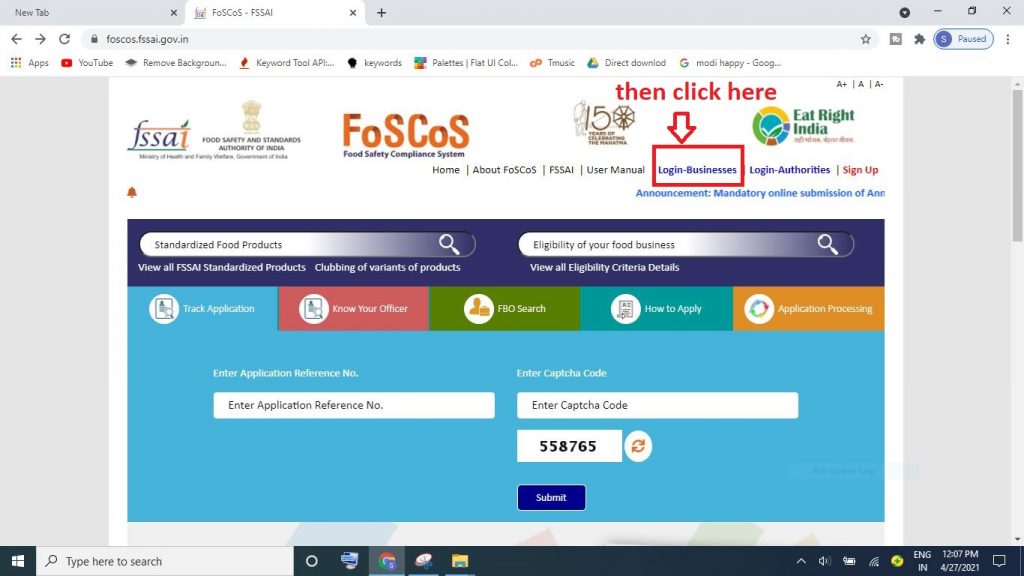
Step 8 : then click on login-businesses
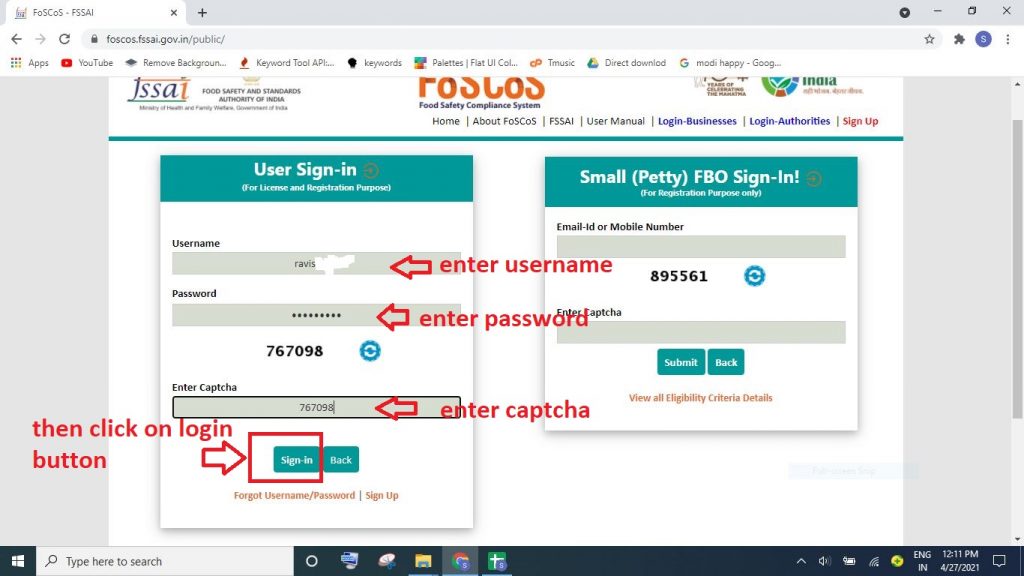
Step 9 : Enter username , password & Captcha then sign-in
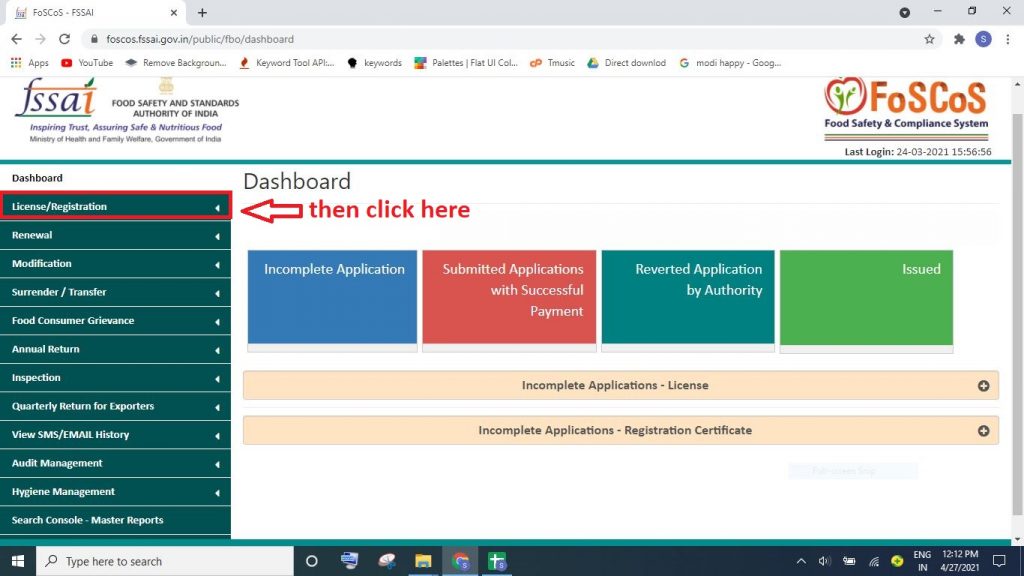
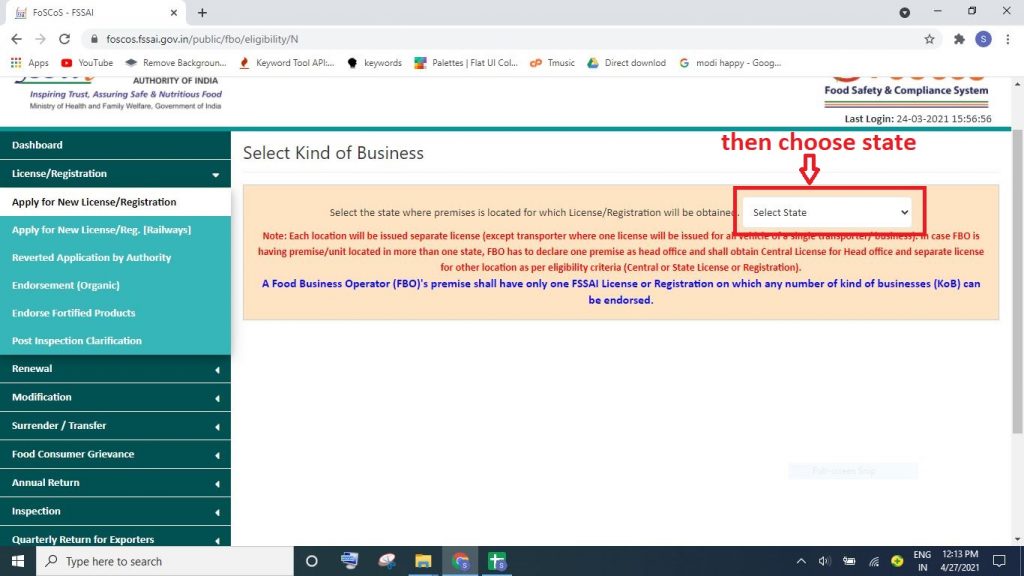
Step 10 : then click on license/Registration
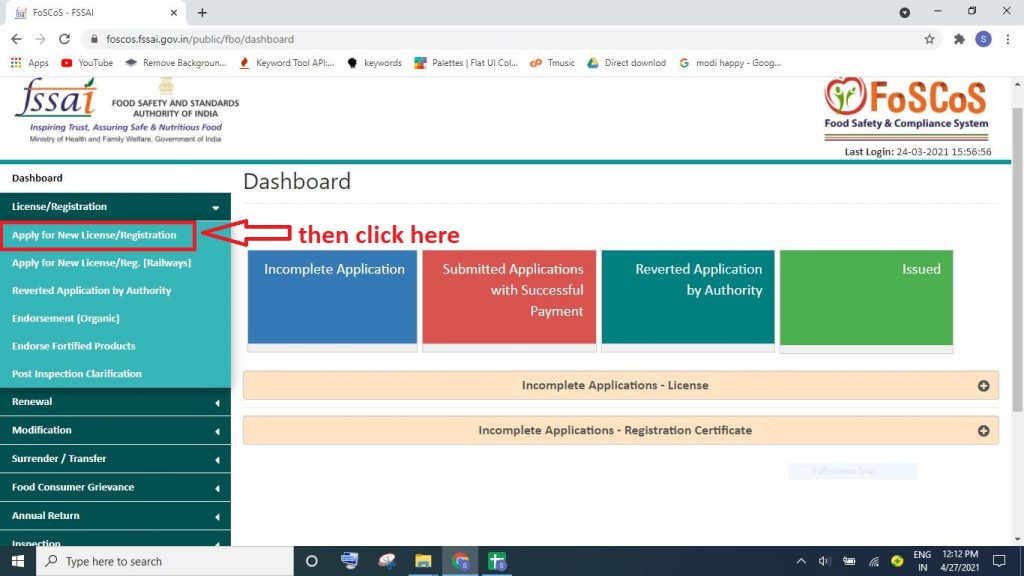
Step 11 : Click on Apply for new license/Registration
Step 12 : then choose state
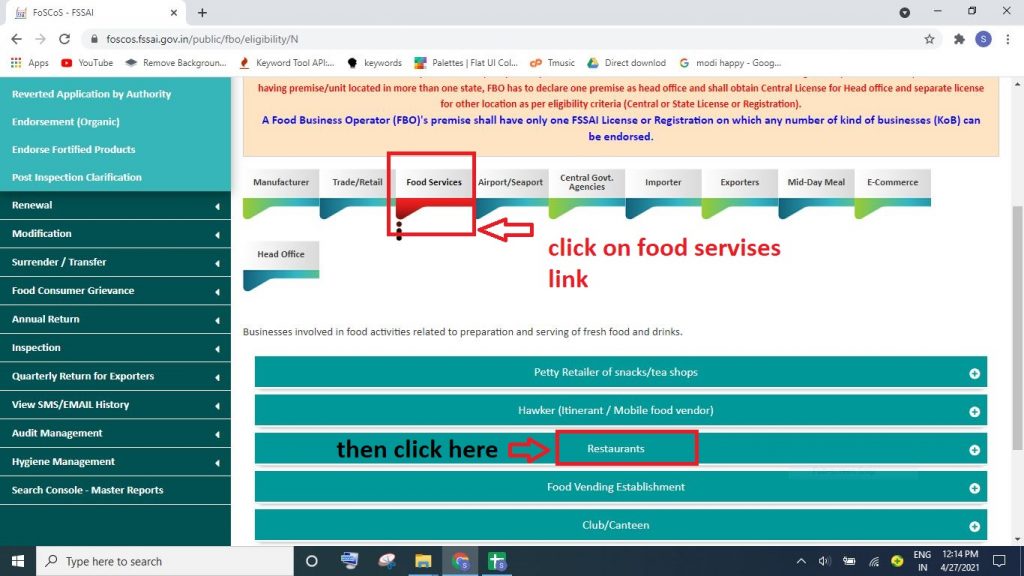
Step 13 :Click on food services and then restaurant link
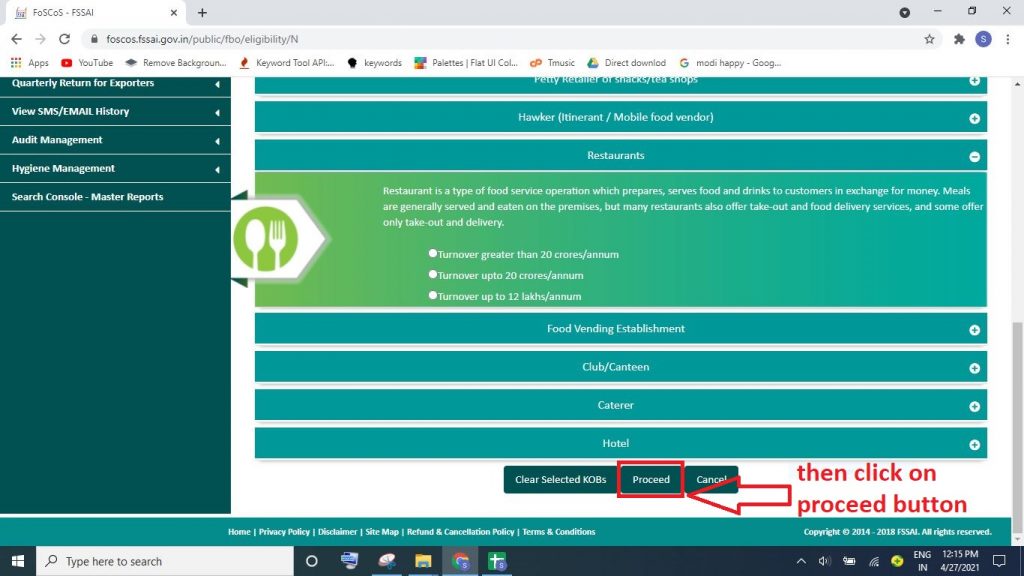
Step 14 : choose turnover and then click on proceed button
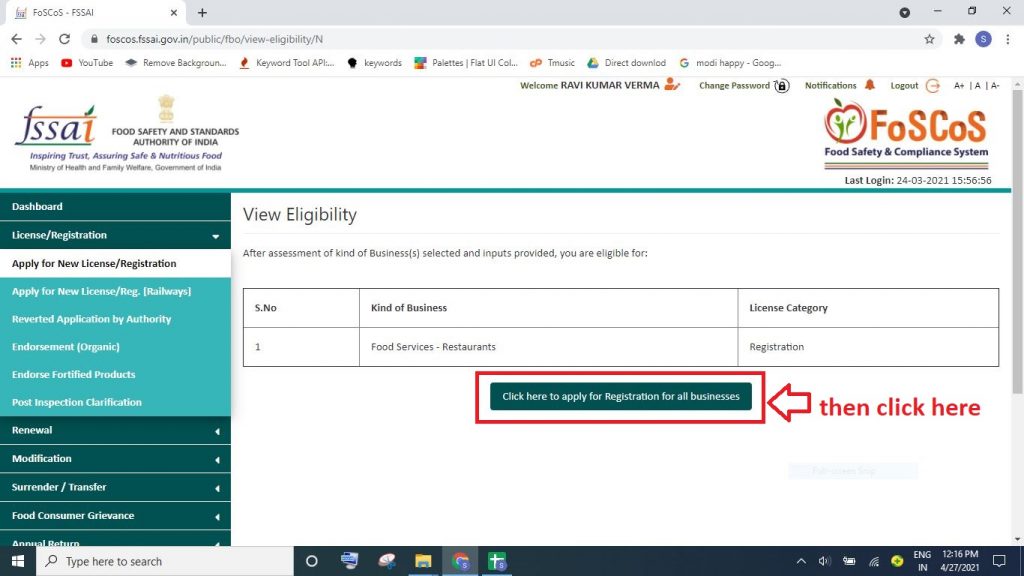
Step 15 : then click to apply for registration button
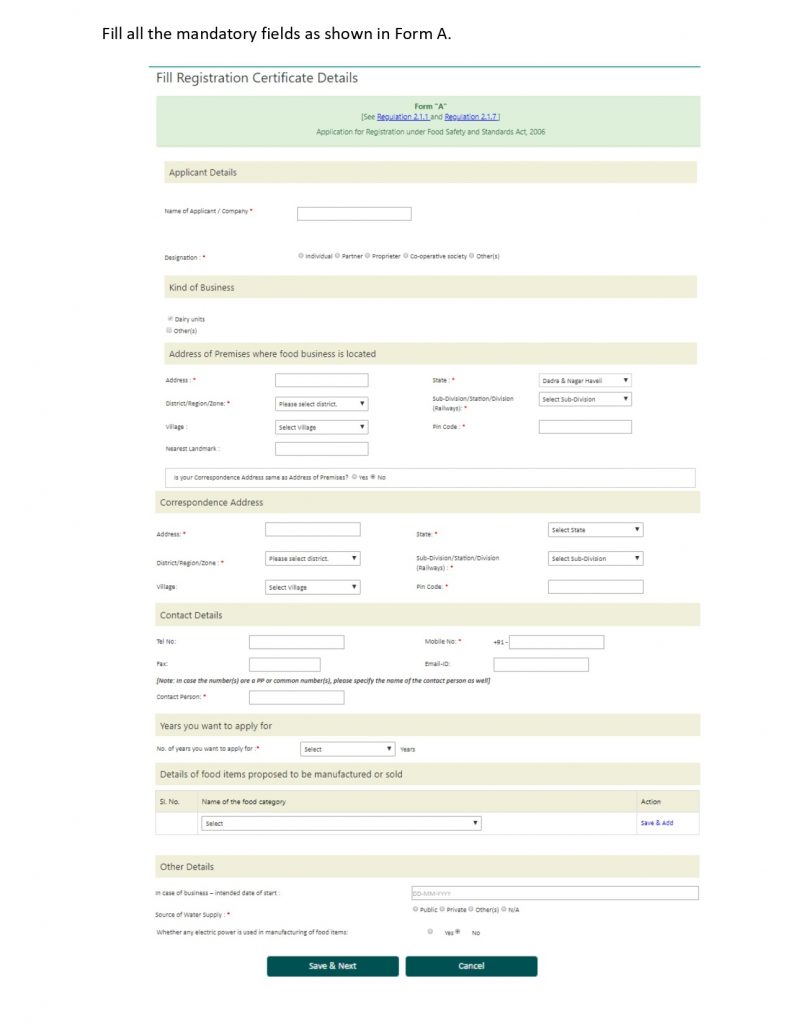
Step 16: Fill all the mandatory fields as shown in Form A and then save & next
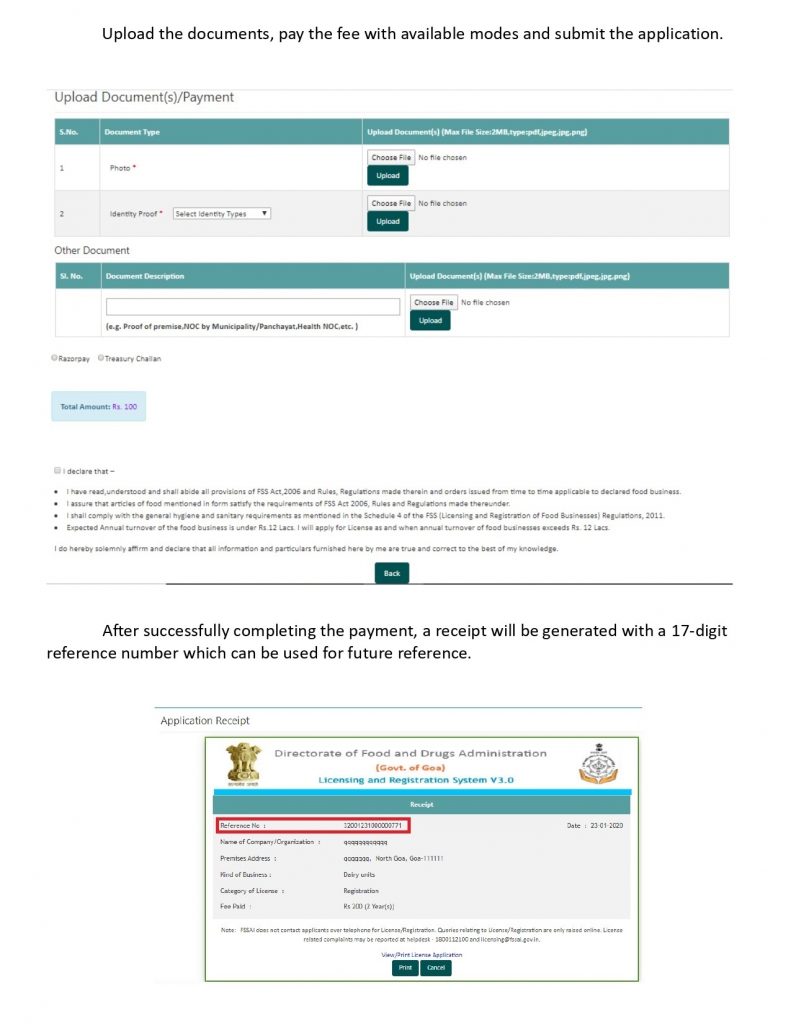
Step 17 : Upload the documents, pay the fee with available modes and submit the application & After successfully completing the payment, a receipt will be generated with a 17-digit reference number which can be used for future reference.
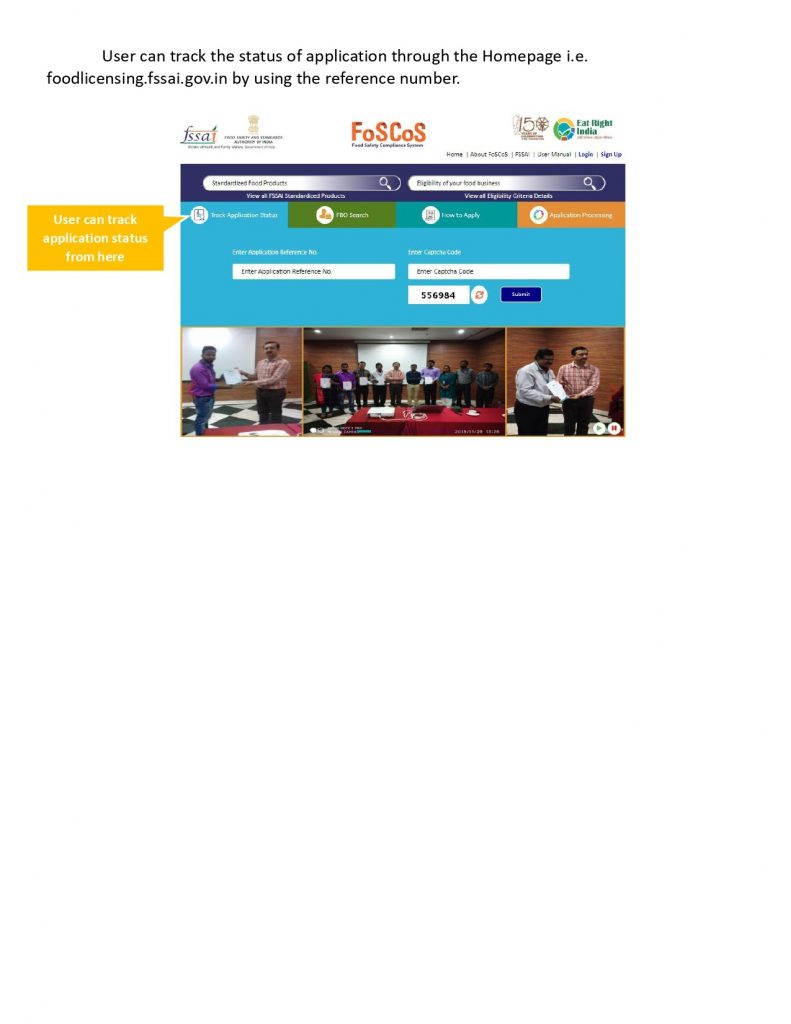
Step 18 : User can track the status of application through the Homepage i.e. foodlicensing.fssai.gov.in by using the reference number.